Reports
Where buyers come from, which product they want, which salesperson replies fastest.
It is all counted from the chats that come in. No more Monday spreadsheet.
Product screens are in Indonesian and show sample data.
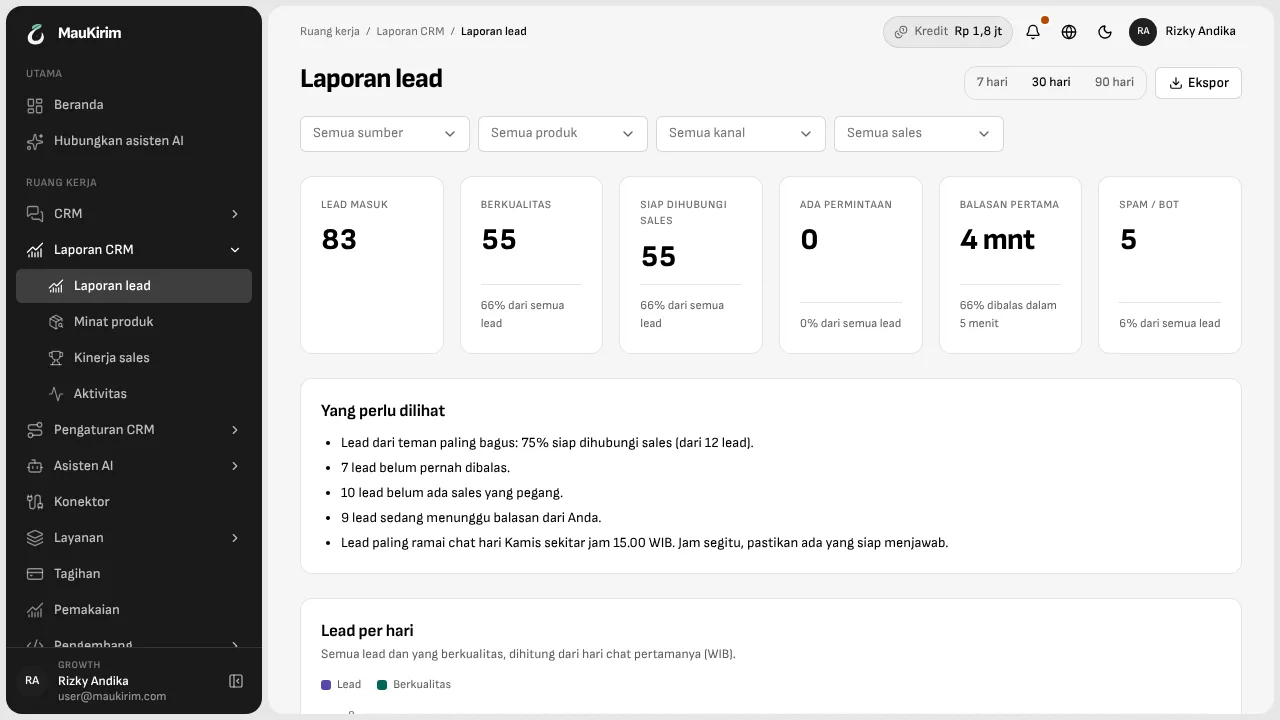
From first chat to ready for a salesperson.
The lead report shows how many leads came in, how many are qualified, how many are ready for a salesperson, and how many minutes the first reply usually takes. Above it sits a “What to look at” note in plain sentences: how many leads never got a reply, or which hour is busiest.
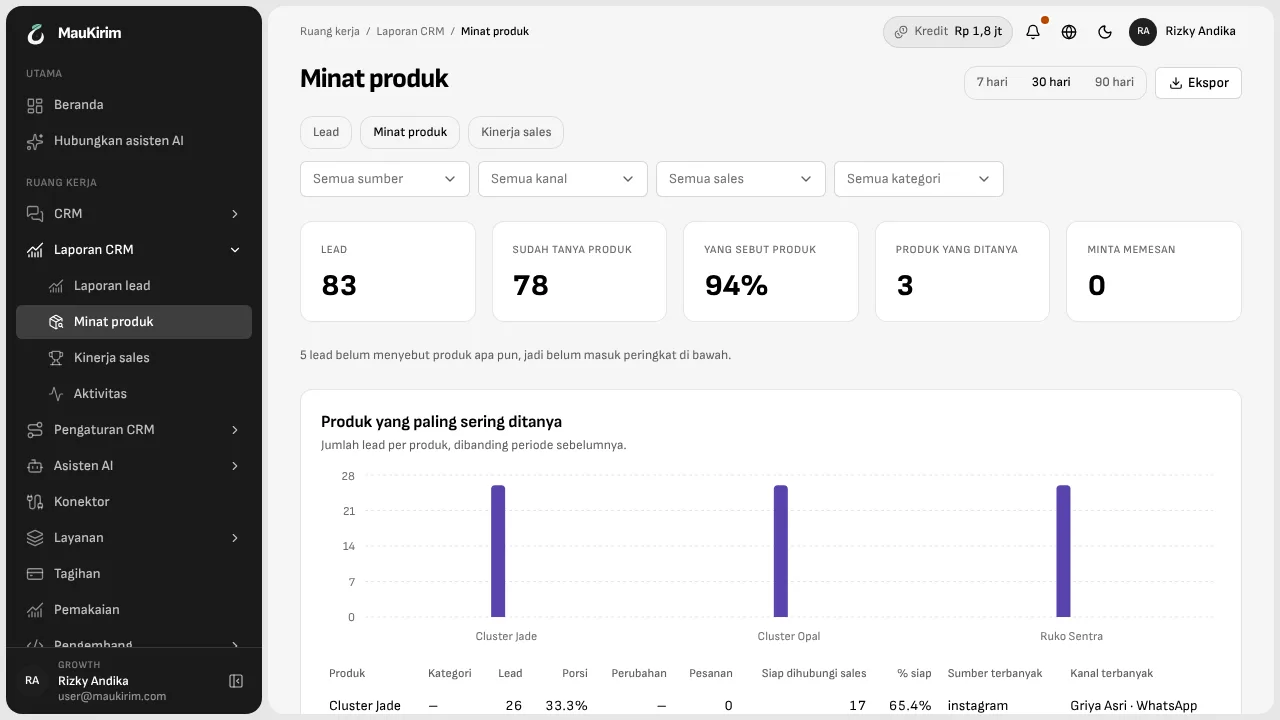
Which products people ask about most.
Product interest ranks products by how often they are asked about, with where those buyers came from. Useful when you decide which product to advertise next week.
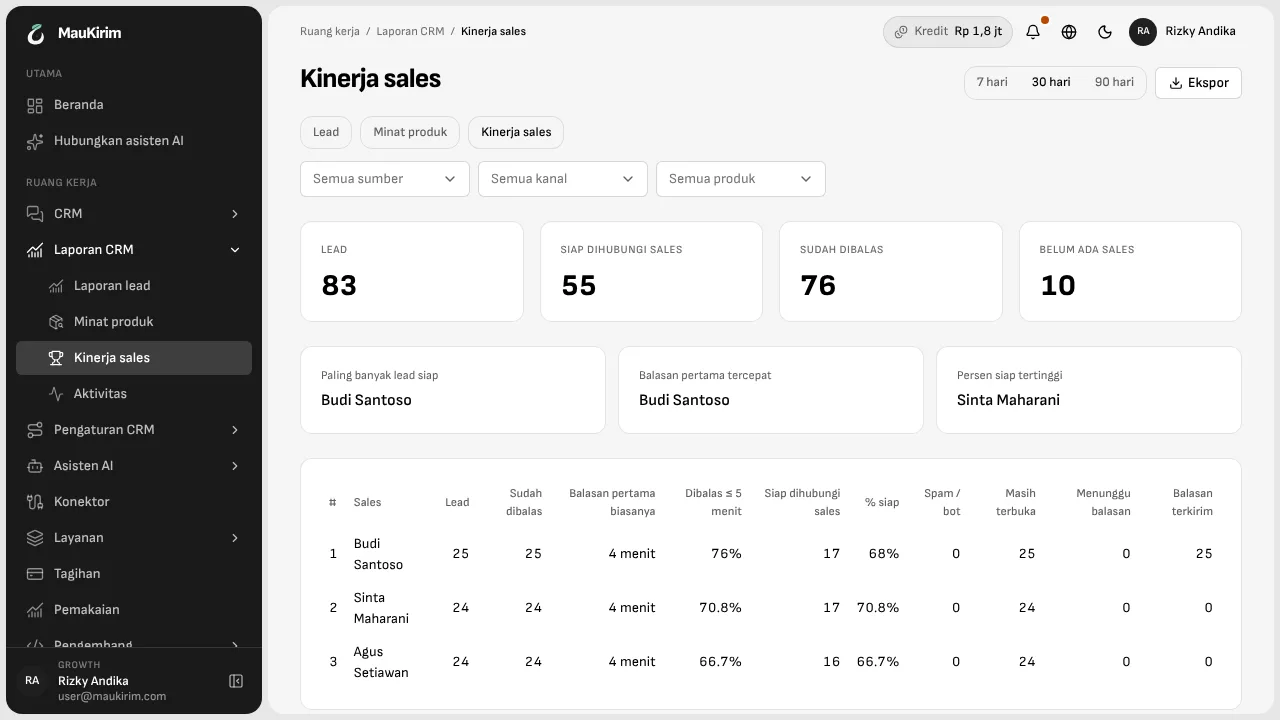
Which salesperson is fastest.
Sales performance shows who serves the most leads, who replies fastest, and what share of chats are answered within 5 minutes. Judging the team no longer has to rest on a feeling.
Split it any way, then download it.
Every number can be split by source, product, the number or account the chat arrived on, and salesperson. Download Excel or CSV if you want to work with it yourself.
Good to know
- Reports count chats and leads, not money. Transaction value is not recorded here.
- Numbers only cover chats that arrive on numbers and accounts connected to MauKirim.
Frequently asked questions
Which periods can I look at?
The last 7, 30, or 90 days. Results download as Excel or CSV.
Can I see it per salesperson?
Yes. Pick a salesperson in the filter, or open the Sales performance page to compare everyone.
Keep reading