Claude and API
How many serious chats came from Instagram this week? Just ask.
Connect your CRM to Claude or another AI assistant. You decide what it is allowed to do.
Product screens are in Indonesian and show sample data.
Connecting takes a few minutes.
In Claude, open Settings, choose Connectors, add a custom connector, and paste the MauKirim address from the Connect an AI assistant page. You sign in and approve, then ask things like “what needs attention in my inbox?”.
You tick the permissions.
When you connect, you see a list of permissions: read only, or also reply to buyers, or also send messages. Anything you leave unticked cannot be done. Reading always comes along.
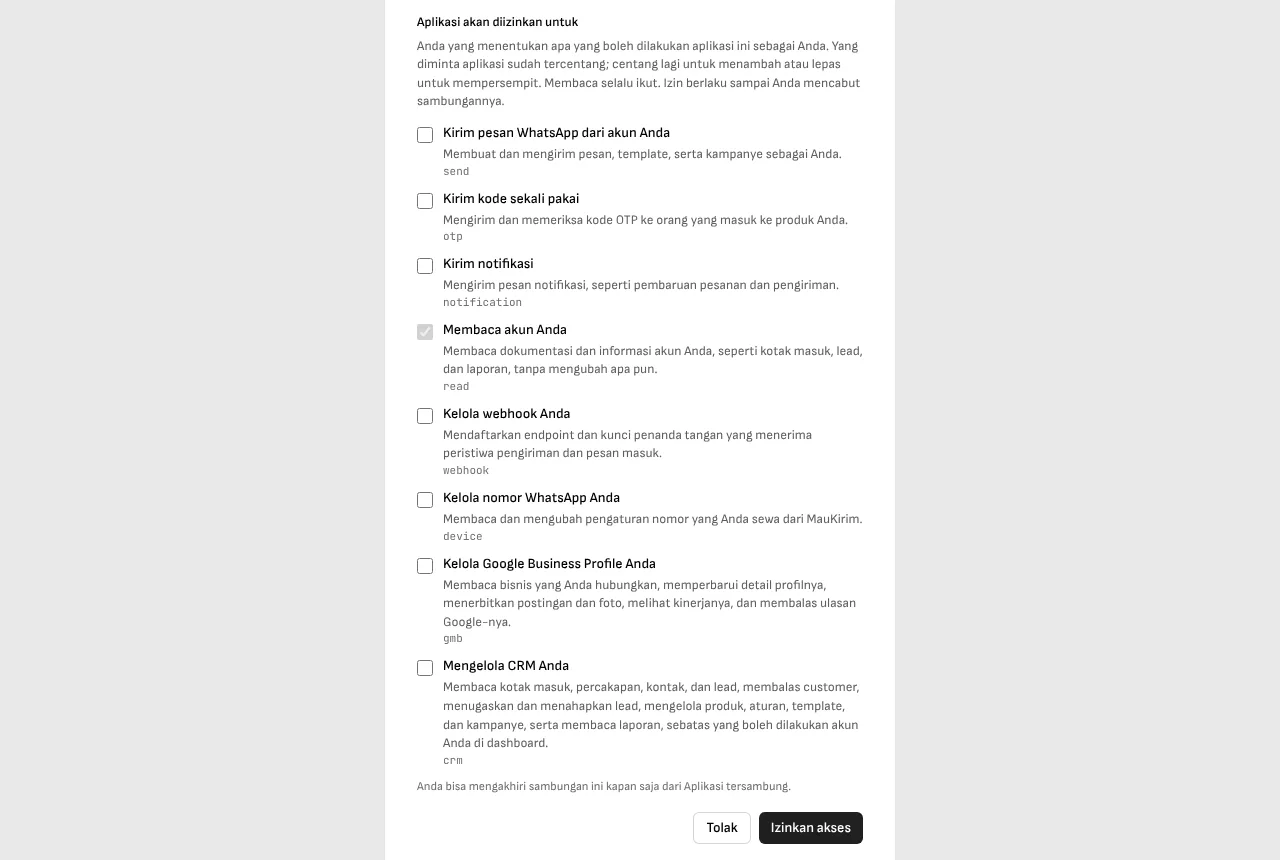
Team members grant only what they hold.
The permission list adapts to who is connecting. A team member can only grant access to the menus they were given, so a connection cannot be used to get around that limit.
You can revoke it at any time.
End the connection from the Connected apps page. For anything that touches customers, like sending a message or launching a broadcast, the assistant is asked to confirm first.
For developers: the API and SDKs.
API keys can be created with the same permissions. Through the API you can also send OTPs and WhatsApp notifications from your own app. Official SDKs exist for Node.js, PHP, and Go, plus a node for n8n.
Good to know
- Sending files, importing contacts from Excel, and uploading documents for the AI assistant still happen in the dashboard, not through Claude.
- An assistant can misread when it summarizes. For decisions that matter, open the numbers in the report.
Frequently asked questions
What else can I connect besides Claude?
Any assistant that supports MCP, such as ChatGPT, Cursor, and Claude Code. Apps that cannot sign in use an API key.
Is it safe?
You choose the permissions and can revoke them. Text from customers reaches the assistant as data, not as instructions, so a customer message that reads like a command is not carried out.
Keep reading