Agencies and partners
Your clients see your brand, not ours.
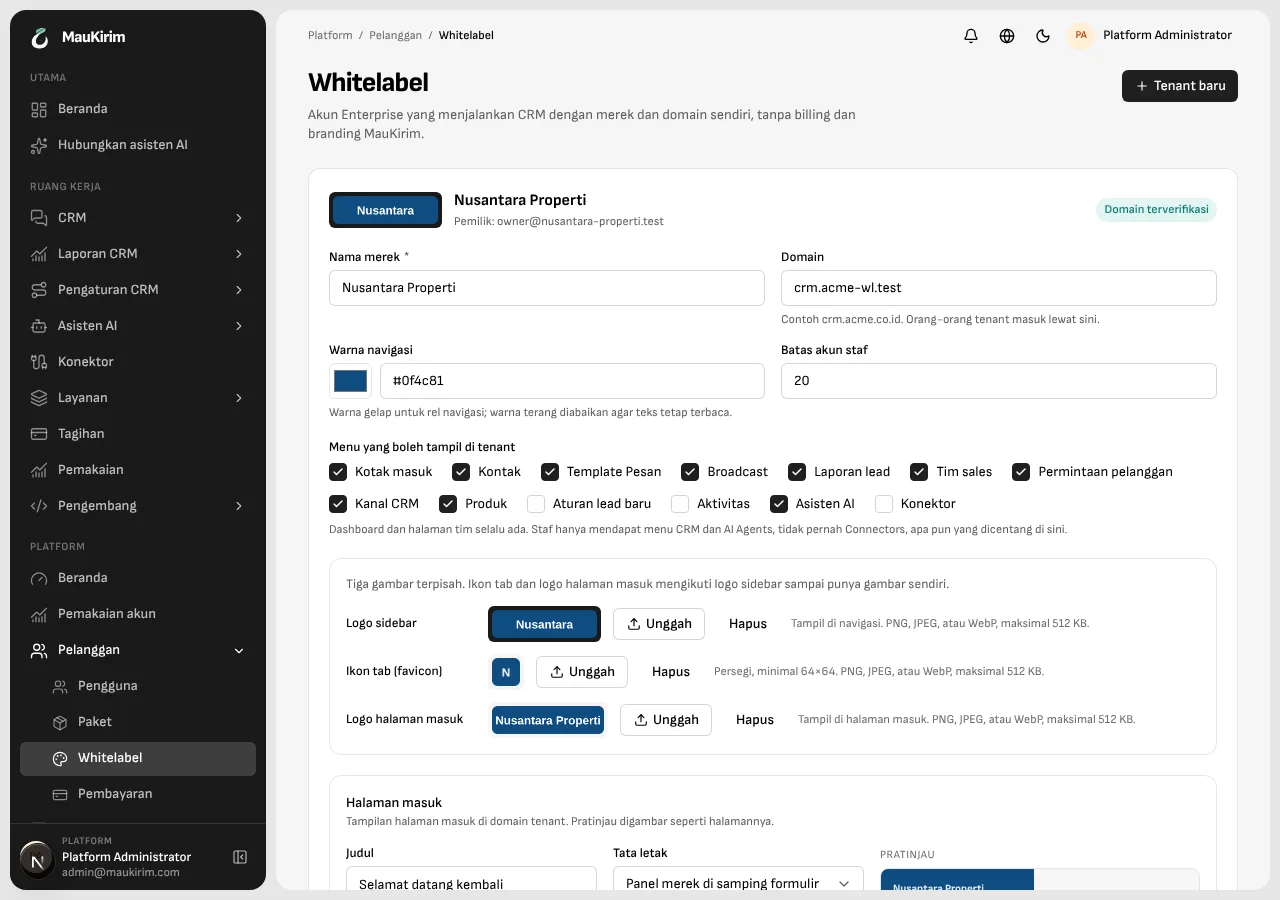
Your own address, logo, colors, and sign-in page, and the menus you choose.
Product screens are in Indonesian and show sample data.
Three separate images.
The logo in the side menu, the icon in the browser tab, and the logo on the sign-in page, each uploaded on its own. The tab title and the word “MauKirim” inside the app are replaced with your brand name.
A sign-in page you design.
Write the headline and paragraph, pick the layout, the background color, and a background image. Clients sign in on your own domain, with no sign-up page and no trace of MauKirim. The domain is proven with DNS records.
Clients have their own team.
A client's admin adds people and chooses which menus each one can see. Billing, usage, and platform settings never appear on the client side.
Demo, then clean up.
After a demo to a prospect, the test data can be cleared by part: inbox, chat status, contacts, broadcasts, or AI settings.
Good to know
- This is for the Enterprise plan and is set up together with the MauKirim team. It is not something you switch on from the dashboard. Contact us to start.
- Your clients' chats still run through MauKirim's infrastructure and count in our public message figures.
- The Connect WhatsApp page (QR scan) is not available on the client side.
Frequently asked questions
Can clients see MauKirim's billing?
No. The client side has no billing, usage, or platform settings.
Can clients sign up on their own?
There is no sign-up page on a client's domain. The client's admin adds people to the team.
Keep reading