AI assistant
A chat arrives at 11 p.m.? The AI answers. In the morning you just close.
Teach it once, in a relaxed conversation. After that the assistant answers buyers from what you gave it: prices, down payment, survey hours, stock.
Product screens are in Indonesian and show sample data.
Teaching it feels like talking.
There is no long form. The assistant asks about your business, reads the documents you upload, and drafts how it should answer. Before you switch it on, you can try it with a pretend chat. Nothing goes to a real buyer.
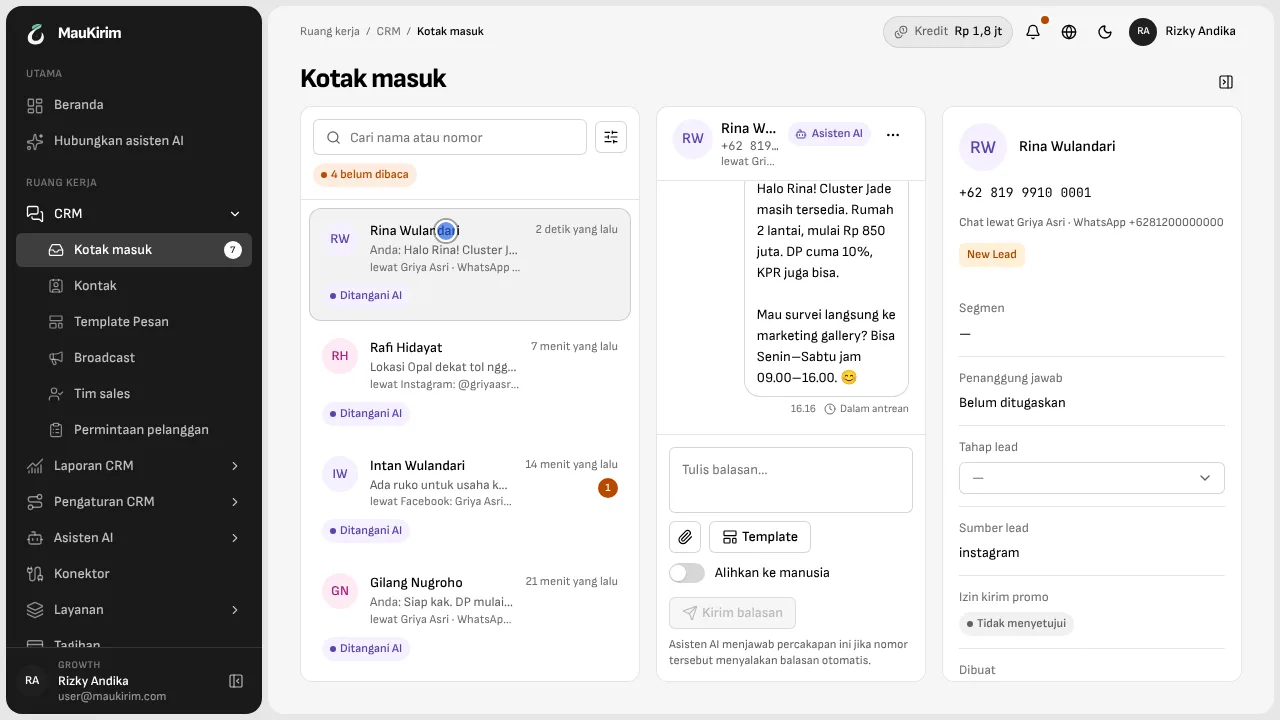
Answers come from your documents.
Upload PDF, Word, Excel, or PowerPoint files, or pull them from Google Drive. An Excel file with several sheets is read sheet by sheet, so your price list and your promo never blur together. If the answer is not in the documents, the assistant is told to say it will ask the team instead of guessing.
The right brochure and photo, not everything at once.
A buyer asks for the Jade floor plan and gets the Jade floor plan. Voice notes and photos from buyers are understood too, so people who dislike typing still get an answer.
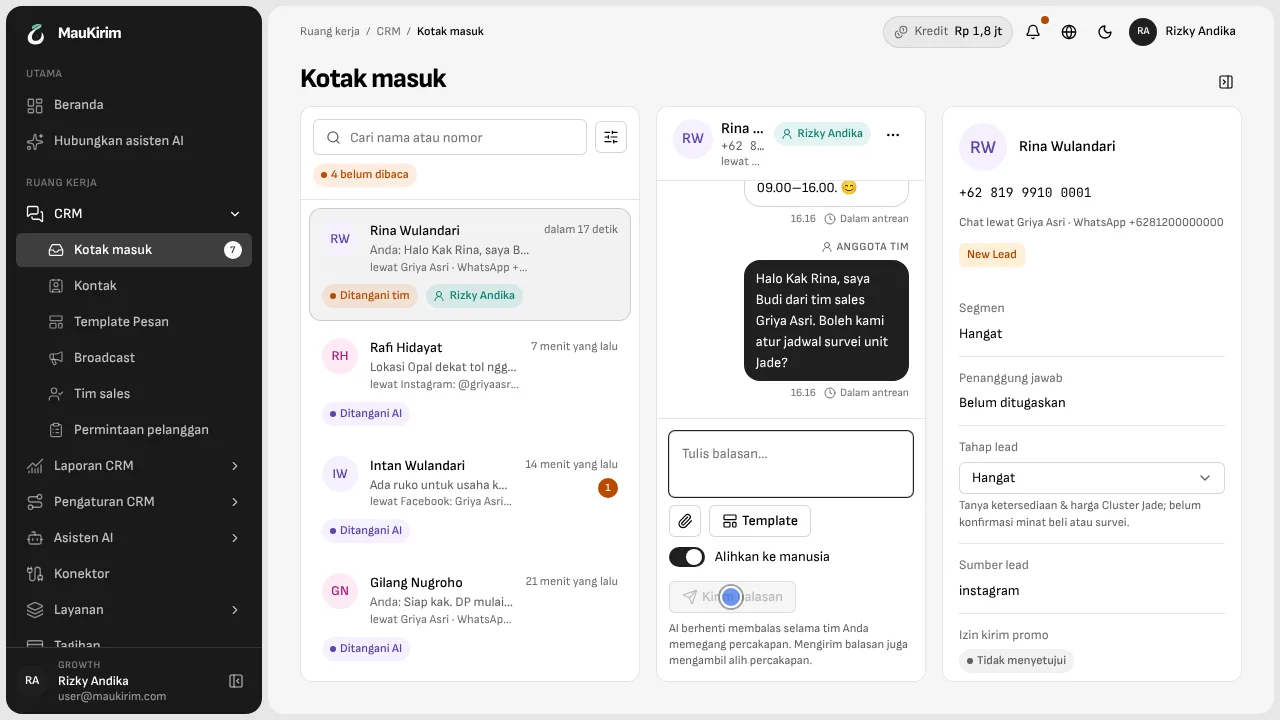
Buyer asks for a person? The AI steps back.
The assistant can hand a chat to your team, and the team is told right away. Once a salesperson replies, the assistant stops answering in that chat. If you want to take over first, every chat has a “Switch to human” toggle.
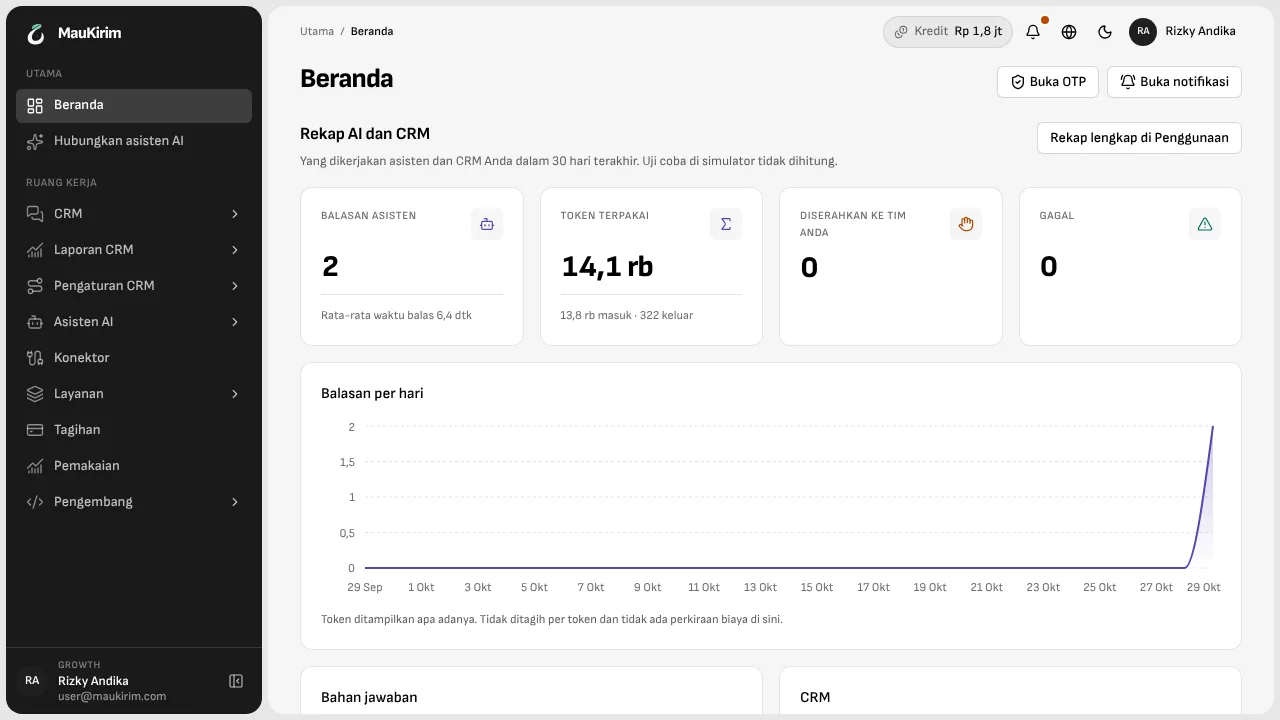
A daily summary, with reasons when something fails.
The home screen shows how many chats the assistant answered, how many it handed to the team, and how much it used. When an answer fails, the cause is written in plain words, not just a red mark.
Good to know
- The AI is only as good as what you give it. A price that is not in your documents will not be promised, and an outdated document produces outdated answers. Check your documents whenever a promo changes.
- On Instagram and Facebook the assistant is bound by Meta's 24-hour limit, the same as your team.
Frequently asked questions
What if the AI gets an answer wrong?
It can happen, and we do not promise every answer is right. The assistant answers from what you gave it and is told to step back when unsure. Every answer is logged, so you can reread it, fix the document, and take over a chat at any time.
Do I need to code to build an assistant?
No. You build it through a conversation and by uploading documents.
Can the same assistant work on Instagram and Facebook?
Yes. One assistant can run on a WhatsApp number, an Instagram account, and a Facebook Page, or each can have its own.
Keep reading